





Every website makes a promise the moment it loads. This promise, perceived through design, speed, and organization, forms the foundation of its website credibility. Website credibility is the perception of trustworthiness and expertise that a visitor forms about a business based on its website's design, content, and functionality. Visitors form this judgment in seconds, and they're surprisingly good at reading it accurately.
The websites that establish high credibility share specific, identifiable traits. The ones that fail this instant gut-check tend to fail in predictable ways, too.

According to Stanford University, 75% of people judge a business's credibility directly from its website design.
This means that the majority of your first impression has nothing to do with what you actually offer.
So what's doing the convincing? It's rarely one thing. Usually, it's the combination of visual consistency, great navigation, layout clarity, and a handful of subtle cues that signal you're a first-class business.
This post breaks down each of them.
Visitors Want Immediate Clarity
Think about the last time you landed on a website and immediately thought, "Yes, this is exactly what I'm looking for." You probably didn't scroll much. You didn't need to. Within a few seconds, the page told you what the brand does, who it's for, and why it's worth your attention.
This quality is known as immediate clarity. Immediate clarity is the characteristic of a website that allows visitors to instantly understand what a brand does, who it's for, and why it's worth their attention. When visitors quickly understand a brand's offer, they feel more confident in their judgment.
That confidence matters because it shortens the decision-making process. People stop searching for alternatives and start considering whether to convert. Ambiguity does the opposite. It creates hesitation, and hesitation creates exits.
To get this right on your own site:
- Start with your headline. It should answer three questions at once:
- What you offer.
- Who it's for.
- What makes it different.
- If your headline needs a subheadline to make sense, rewrite the headline.
- Your hero section should do the heavy lifting without requiring visitors to scroll or click to understand you.
- Keep your layout clean and your hierarchy obvious.
- The most important information (your core offer and its key benefit) should be the first thing the eye lands on.
- Supporting details come after, not alongside.
We've got an example of a brand that does it the right way. Scentbird, a monthly perfume subscription box service that lets customers try designer scents, nails this on its homepage.
Their header states the offer outright: hundreds of designer fragrances, delivered monthly, with no need to step inside a department store.
This way, visitors know what they're signing up for before they've made a single click. The copy is short, the concept is simple, and nothing competes for attention.
That's the standard to aim for.

Demonstrated Expertise
Credibility and expertise aren't the same thing, but on a website, one feeds the other. A site can look credible (clean design, fast load, and clear copy) and still fail to convince visitors that the people behind it actually know what they're talking about.
Demonstrated expertise is the act of showing, not just telling, that the people behind a website have deep knowledge of their field, and it is what closes that gap.
The good news is that you don't need a wall of credentials to pull this off. You need the right signals in the right places.
To get this right on your own site:
- Start with your content. Does it answer real questions at an appropriate depth, or does it skim the surface?
- Surface-level content signals that a brand knows enough to talk about a topic, not enough to own it. Depth signals authority.
- Next, make your sources visible. If your content draws on research, data, or professional experience, explicitly state that. This helps increase trust.
- Name your contributors. Link to studies. Show your methodology. These details cost very little to include but carry significant weight with skeptical visitors.
- Certifications, industry affiliations, and years of experience also belong above the fold, not buried in an About page.
- If a visitor has to go looking for proof that you know your field, many of them won't bother.
Mesothelioma.net, a free information and support resource for people diagnosed with a rare and aggressive asbestos-related cancer, demonstrates exactly how this works in a high-stakes context.
The site has provided free resources to mesothelioma patients and their loved ones for over 20 years, and that history is visible immediately. Their content is fact-checked by patient advocates, covers treatment options, specialist directories, veterans' benefits, and legal guidance – all clearly organized.
Visitors dealing with a serious diagnosis don't have time to question a source's reliability. Mesothelioma.net answers that question before they ask it.

Strategic Reassurance
Every purchase comes with doubt. The higher the price, the louder that doubt gets. Visitors shopping for something expensive arrive with a mental checklist of concerns. They're scanning your site to see how many of those concerns you address. If your site stays quiet on the things they're worried about, hesitation fills the space.
Strategic reassurance is the practice of proactively addressing potential customer doubts and concerns at key friction points on a website. This doesn't mean that you should list every feature you offer. It's more important to identify the specific friction points that stall conversions and place the right information where that friction is highest.
To get this right on your own site:
- List the top three to five reasons a visitor might talk themselves out of buying.
- Price anxiety? Speak to value and durability early.
- Installation worries? Show them it's manageable.
- Quality skepticism? Surface your materials, craftsmanship, and warranty.
- These answers belong on your homepage and product pages, not in your FAQ.
- Placement matters as much as content. Place reassurance signals near your CTAs, where purchase hesitation is highest.
- Guarantees, return policies, lead times, and support availability should all be within view of your "Add to Cart" or "Get a Quote" button, not three scrolls away.
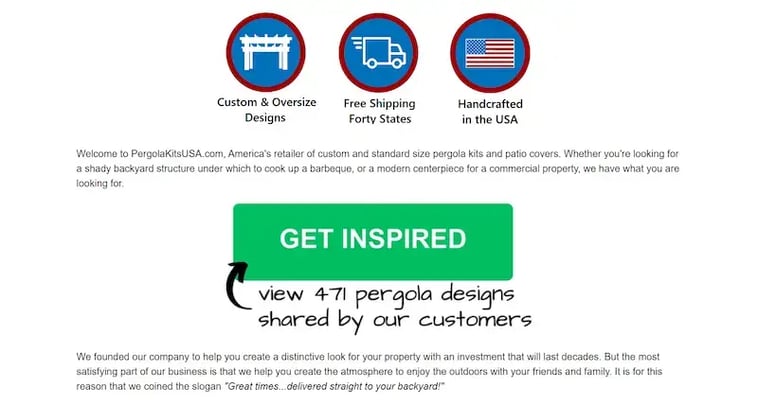
A brand that handles this well is Pergola Kits USA, a company that designs and sells ready-to-assemble outdoor shade structures for residential and commercial properties.

Buying a custom-built pergola kit is a considered, high-ticket decision, and their site treats it that way. They highlight custom sizing, oversized design, free delivery to most states, US handcrafting, industry-leading warranties, and personalized service.
These trust signals are all visible early. That way, customers know what they're getting, what it costs to ship, and who stands behind it before doubt takes hold.
Radical Transparency
So many brands share what makes them look good and quietly skip the rest. Radical transparency is a business practice where a brand shares not just what is in its product or service, but also the reasoning and trade-offs behind its decisions. This is a harder position to hold, but audiences notice it immediately. That builds a different quality of trust than polished marketing copy ever could.
To get this right on your own site:
- Document your process and explain your sourcing decisions.
- If you changed something about your product or service, say why.
- Publish the reasoning behind your pricing.
- These details feel small in isolation, but together they send a clear signal: this brand has nothing to hide.
- The practical starting point is your product or service pages.
- Strip out the vague claims and replace them with specifics. "High quality" means nothing. The exact material, the supplier standard, and the testing process are the elements that build confidence.
The supplement industry is a useful reference point here, because it's historically been one of the least transparent product categories. Proprietary blends (formulations that list ingredients without disclosing individual dosages) have been standard practice for years. They're legal, but they give consumers almost no way to evaluate what they're actually buying.
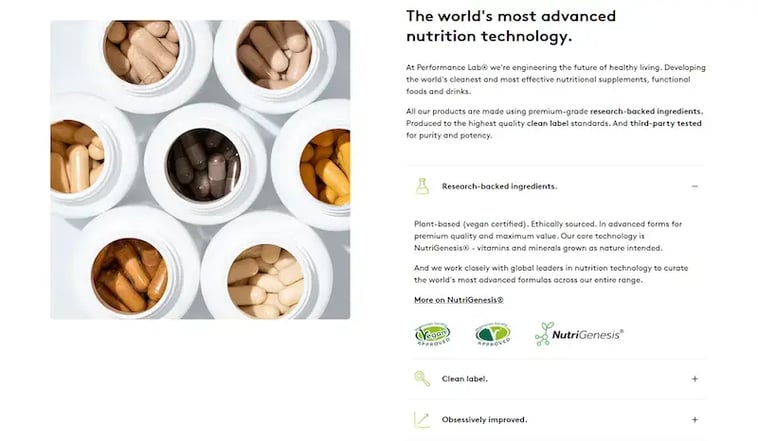
However, Performance Lab, a brand that makes science-led nutritional supplements targeting cognitive performance, energy, and overall health, treats transparency as a product feature, not an afterthought.
They don't use proprietary blends that conceal ingredient dosages. Every compound and every amount appears on the label. They also use version control to track and publish formula updates.
This allows visitors to evaluate exactly what they're buying before spending a penny.
Visible Social Proof
People don't take brands at their word. They look for evidence that other people already have. Visible social proof is the evidence from other people—such as reviews, testimonials, and media mentions—that is strategically placed on a website to show that a brand is trusted by others. When a visitor lands on your site, they're quietly asking if anyone else trusts this brand.
Social proof answers that question directly, and its presence (or absence) shapes conversion rates more than most design decisions do.
The keyword here is visible. Collecting reviews isn't enough. They need to be surfaced where visitors are actively evaluating whether to stay or leave, which means your homepage, your product pages, and anywhere near a CTA.
To get this right on your own site:
- Display star ratings and review counts close to your headline offer.
- Pull specific quotes that address the hesitations your buyers typically have. Not just five-star praise, but detail-rich feedback that shows real use.
- If media outlets or industry publications have covered your brand, feature those prominently too. Third-party validation carries more weight than anything you say about yourself.
- The placement and format matter. Static testimonials buried at the bottom of a page do little to serve their purpose. Reviews that appear dynamically (near checkout, beside your pricing, or in persistent site elements) stay in front of visitors at every decision point.
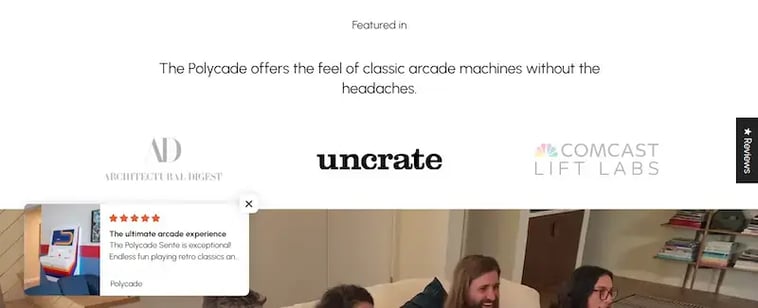
Polycade, a modern arcade gaming platform built for both home setups and commercial venues, makes social proof impossible to miss.
Their homepage showcases media features with direct quotes from each outlet. Meanwhile, floating pop-ups in the lower-left corner cycle through real customer reviews and star ratings in real time.
Additionally, a persistent "Reviews" button on the right side of every page opens a full review panel on click.
With this, you never have to wonder whether others trust the brand.
Intuitive Navigation
Bad navigation is invisible until someone needs it. Then it's all they can think about. A visitor who can't quickly find what they came for doesn't try harder. They leave. And they won't blame themselves for getting lost. They'll blame your site, and by extension, your brand.
Intuitive navigation is a website's structural design that allows visitors to easily and predictably find the information they need without confusion or frustration. Good navigation doesn't just make a site easier to use; it signals that the brand understands its customers well enough to anticipate what they need next. That quiet competence directly contributes to making a website feel credible.
To get this right on your own site:
- Group your content around how customers think about your products, not around your internal categories or your team's logic.
- On a desktop, depth matters.
- Visitors exploring a large catalog want to drill down quickly without having to click through five landing pages to get there.
- On mobile, thumb reach is everything.
- Place your most-used navigation elements where a thumb naturally lands (toward the bottom and center of the screen), not scattered at the top where they're awkward to tap one-handed.
- Avoid forcing gender or audience segmentation on visitors before they've chosen a category.
- Let them browse by product type first, then introduce filtering options like gender or size once they're already in the relevant section.
- This removes an unnecessary friction point that many e-commerce sites create.
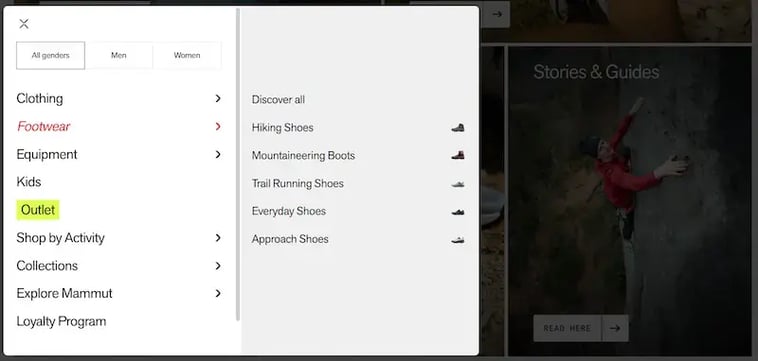
Mammut, a brand that makes high-performance outdoor and alpine equipment for serious adventurers, executes this exceptionally well.
Their desktop navigation goes deep fast, letting visitors reach specific gear without extra steps. On mobile, key controls sit comfortably in the thumb zone. Categories appear first on the homepage, with gender selection following after, not before. And on collection pages, question-based prompts naturally guide visitors to subcategories.
This approach turns browsing into a conversation rather than a guessing game.
High-Quality Visuals
A visitor who can't clearly see what they're buying is a visitor who talks themselves out of it. Low-resolution images, flat lighting, and generic studio shots all create the same problem. They leave too much to the imagination, and imagination tends to fill gaps with doubt rather than confidence.
High-quality visuals are the use of high-resolution images and videos that accurately and attractively display a product's details, texture, and use in a real-world context. Strong product visuals close the distance between browsing and owning. When someone can zoom into the texture of a fabric, watch a product being handled in real conditions, or see how it actually fits on a human body, they're forming an accurate impression of what they'd receive.
That accuracy matters beyond conversions. Video content that shows real hand interaction with a product gives buyers a realistic sense of scale, material, and use, directly reducing returns by aligning expectations with reality before purchase.
To get this right on your own site:
- Start with resolution. Every product image should hold up at full zoom.
- Shoot in natural or well-controlled light that reflects real conditions.
- Include multiple angles as standard, not optional.
- For any product where texture, construction, or fit is a selling point, short video clips (even 15 to 30 seconds) carry significantly more persuasive weight than additional static images.
- Lifestyle context matters too. Show products being used, worn, or handled in environments your customers actually recognize. That context helps visitors imagine ownership, nudging them closer to purchase.
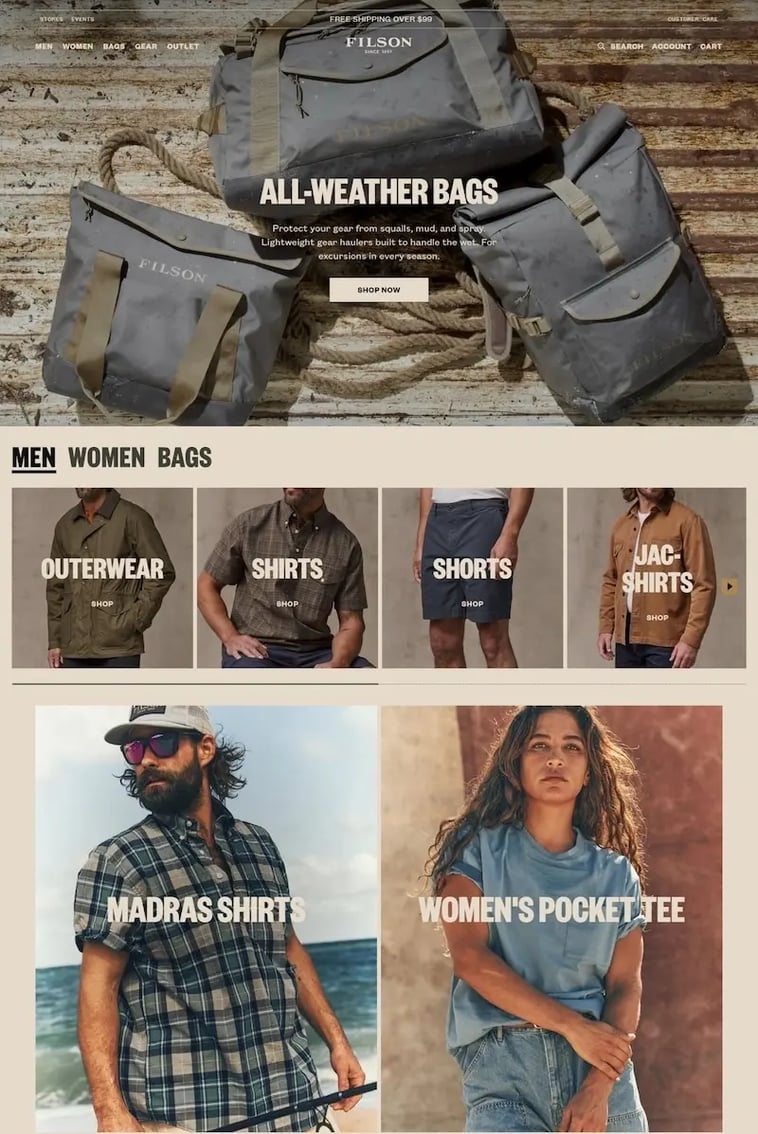
A company that wields visuals like a master craftsman is Filson, a heritage brand making rugged clothing and gear for outdoor use.
Their product photography places items in real environments at resolutions that hold up to close inspection. Visitors can zoom in to examine stitching, material weight, and construction detail. Product pages also include videos showing how pieces are made and how they move when worn.
That's the kind of content that turns consideration into confidence.
Final Thoughts
None of these credibility signals can work in isolation. Immediate clarity, demonstrated expertise, strategic reassurance, radical transparency, visible social proof, intuitive navigation, and high-quality visuals form a single, interlocking system that either hums in harmony or rattles apart.
Your audience won't consciously audit each element. They'll simply feel the cumulative effect and act on it.
The examples we've spotlighted show a truth that's easy to say but harder to practice. Credibility is something that you build, pixel by pixel, choice by choice, until a stranger lands on your site and decides, in less time than it took you to read this sentence, that you're worth trusting.
So, start with one section, make it bulletproof, then move to the next. The return on that rigor shows up in every metric that matters. Contact Aspiration Marketing to help you make a website feel credible, and help build your business.







Leave a Comment
Have thoughts on this article?
Share your feedback, ask questions, or join the discussion with our community.