





A Customer Satisfaction (CSAT) Survey is a tool used by businesses to measure the satisfaction of their customers with the products or services they receive. These surveys provide valuable insights into how customers feel about their experience with a company, allowing businesses to identify customer support areas of improvement.
The HubSpot Service Hub enables users to create and use CSAT surveys easily, opening them to opportunities. Are you interested in building your own CSAT survey? Find out how.

What is a Customer Satisfaction Survey?
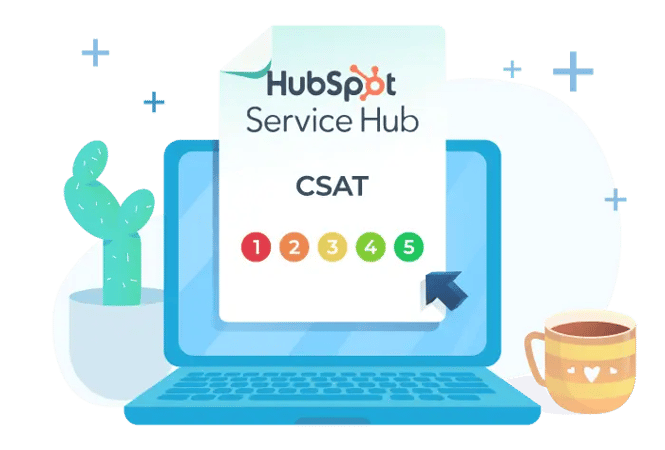
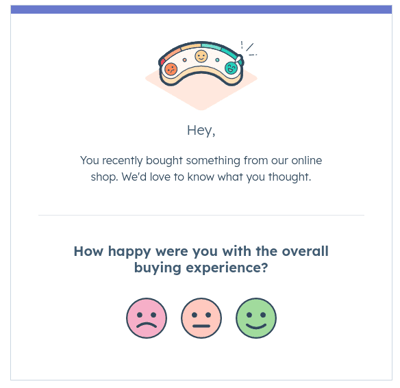
A CSAT (Customer Satisfaction) Survey in the HubSpot Service Hub Platform is a feature that measures customers' satisfaction with the service or support they receive from a company. It's typically a short, one-question survey asking customers to rate their experience on a scale, such as "very satisfied" to "very unsatisfied." The data collected from CSAT surveys can provide valuable insights into areas where a company can improve its customer experience and support.
The benefits of using a CSAT survey include the following:
-
Improve customer satisfaction: CSAT surveys directly measure customer satisfaction, allowing companies to identify areas where they can improve customer experience and support.
-
Gather actionable feedback: By asking specific, targeted questions, CSAT surveys can gather feedback that can be used to make real-time improvements.
-
Measure success: Customer Satisfaction scores can be tracked over time, allowing companies to measure the success of their efforts to improve customer satisfaction.
-
Improve loyalty: Satisfied customers are more likely to be loyal customers, and CSAT surveys can help identify which customers are most likely to remain loyal.
-
Understand customer needs: By gaining insight into what customers value most about their experience with a company, CSAT surveys can help companies better understand their customers’ needs and tailor their offerings accordingly.
-
Improve customer retention: Satisfied customers are less likely to switch to competitors. CSAT surveys can help companies identify what they're doing well and what they need to improve to retain customers.

Customer Feedback Surveys in HubSpot
The HubSpot Service Hub is a customer service platform that offers a range of tools to help businesses manage and improve their customer experience. One of (many) of these tools is the survey feature, which enables companies to create and send CSAT Surveys to their customers.
In addition to CSAT Surveys, you can implement NPS Surveys for customer loyalty, CES Surveys for customer effort scores, or any customized survey to use along the customer journey.
Setting up CSAT Surveys in HubSpot
-
Prerequisites: To create CSAT Surveys with HubSpot Service Hub, you must first have a HubSpot account and a Service Hub Pro or Enterprise-level subscription.
-
Navigate to the Surveys section: To create a new survey, log into your HubSpot account, go to the Service Hub, and click the Surveys options in the left-hand menu.
-
Create a new survey: In the Surveys section, click on the "Create Survey" button to start creating a new survey. You will then be prompted to enter the name of the survey and configure the survey settings.
-
Configuring survey settings: In the survey settings, you can specify the survey frequency, the recipients (e.g., all customers, customers who received support, etc.), the language, and other options. Once you've configured the survey settings, click the "Save" button to create the survey.
As the Service Hub is fully integrated with the HubSpot CRM Solution, it is easy to take manual or automated action steps to report and address potential Customer Service issues quickly.
Customize Your CSAT Survey with Templates
-
Choose the suitable question format: When creating a CSAT Survey in HubSpot, you can choose from several formats, including multiple-choice questions, star ratings, and open-ended questions. Choose the survey question format that best fits your needs and goals for the survey.
-
Custom branding to surveys: You can also add custom branding to your CSAT surveys, such as a logo or specific colors, to make them more recognizable and professional. This will help improve response rates and give your customers a more positive experience.
-
Create personalized follow-up messages: After customers complete a CSAT Survey, you can set up automated follow-up messages to thank them for their feedback and provide additional information. These messages can be customized to include specific information or ask follow-up questions for further insights.
Analyzing CSAT Survey Results
Once you've created your CSAT survey and obtained customer feedback, it's time to analyze your results. First and foremost, you need to understand HubSpot's default CSAT metrics. HubSpot provides several default metrics for analyzing CSAT Survey results, including the average CSAT score, response rate, and customer feedback. These metrics can give you a quick overview of your customers' satisfaction levels.
Next, you can start creating custom reports and dashboards within HubSpot. This will help you gain a more in-depth understanding of your survey results. These reports can be tailored to your needs and allow you to track and analyze CSAT scores over time.
Finally, you can export your survey results to a spreadsheet or other data analysis tool for more detailed analysis. This is especially useful for performing a more complex analysis or combining survey data with other data sources.
Best Practices for CSAT Surveys
When building, reviewing, and analyzing your CSAT Surveys, there are a few best practices to remember for the best possible results.
- Send surveys at the right time. The timing of your CSAT Surveys can significantly impact the response rate and accuracy of the results. Consider sending surveys shortly after a customer interacts with your business, such as after a purchase or customer service interaction.
- Keep surveys short and straightforward. Keep your CSAT Surveys concise, focusing on a few key questions. This can help improve response rates and ensure customers are more likely to provide accurate and meaningful feedback.
- Provide clear instructions. Ensure to provide clear instructions for customers on completing the survey and what information is requested. This can help improve response rates and ensure that the feedback received is meaningful.
- Incorporate feedback into continuous improvement. Using the feedback from CSAT Surveys to drive continuous improvement is essential. Incorporate the feedback into your business processes and consider how you can make changes to improve the customer experience.
Insights Equal Improvements
HubSpot CSAT Surveys are a simple yet excellent way to obtain customer feedback. As these surveys are so simple, customers are more likely to answer them, providing your company with insights that could otherwise be challenging (and expensive) to obtain. With these newfound insights, your company can identify areas of improvement, ultimately helping you to improve customer satisfaction, retention, and loyalty.
If you're looking for an easy and affordable way to hear from your customers, implementing the HubSpot Service Hub is your answer. Looking for a more advanced solution? Try HubSpot Service Hub Enterprise! User-friendly and highly customizable, you'll find it easier than ever to manage and connect with your customers.







Leave a Comment
Have thoughts on this article?
Share your feedback, ask questions, or join the discussion with our community.