




Social media marketing can seem like a daunting subject, but it doesn't have to be. Use guides like the ones we publish regularly and move incrementally, and in no time, you'll have your presence set up, attract more social media followers, and see returns on your efforts.

That said, let's dive into marketing on Facebook. **Marketing on Facebook is the practice of using a business Page, Groups, Ads, and other platform tools to connect with an audience, build a brand, and drive business results.** Despite the controversies you may have read about, and despite being the granddaddy of all social media, this platform is going strong. That's not to say there haven't been some changes. Primary among these has been a demographic shift upward; the most active users of Facebook in the US are now Gen X and Boomers, not Millennials. This shift hasn't dampened their run at the top, however, with 75% of the American public saying they use the site at least occasionally.
So what better place to begin ramping up your social media presence? After all, where else will you have access to 75% of the American public? We will start with the fundamentals of marketing on Facebook, move on to some level 2 marketing tactics, and then wrap up with a quick discussion of metrics and what to look for.
Marketing on Facebook: The Beginner's Guide
Want to get your company's presence on Facebook up and running in a day? It's doable. There are just a couple of items to clear up first, and you'll be ready for that first post!
Profile vs. Page
It's important to understand the difference between a Facebook Profile and a Facebook Page. A Facebook Profile is a personal account intended for individual, non-commercial use, with a limit of 5,000 friends. A Facebook Page, by contrast, is a public profile created for businesses, brands, and organizations. While they share features like a profile picture, cover image, and timeline, a Page allows an unlimited number of people to Like and follow it, which is critical for business growth.
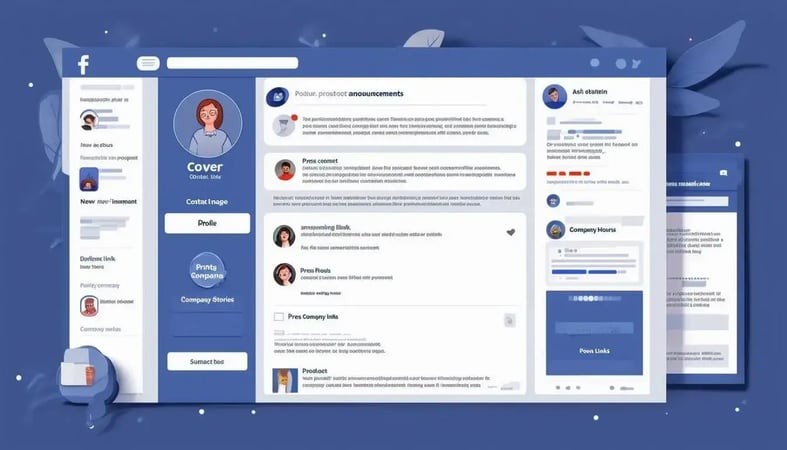
As for those similar aspects, remember to keep it professional on your company page. Use the company logo for the profile picture—there are no exceptions to that rule. The cover image is a different story. Here you can use something that enhances the logo or maybe draws the eye toward where you want people to focus. That can be your most recent post, a "contact us" link, or anything else you choose.
And just like that, you're ready to post
Add contact information, company hours, a website link, and a summary of the company for the main page (the more detailed About Us-style page can follow later), and you're ready to post.
A word of warning here, many companies are overeager to fill their timeline with great content and end up flooding their followers' timelines as a result. It's easy to slip across the line from posting quality content and informative links to spam. The former is the goal, which should be avoided at all costs. Some suggestions for posts, limited to around 2-4 per day (plus follow up with any comments, likes, etc., to stay engaged, of course):
- Product announcements
- Links to press relating to your company
- Links to new content available on your site
- Stories about the company or your employees
- Links to other sites you think your audience will like
And just like that, your company presence on Facebook is up and running and already working for you. Congratulations! When you're ready and have the remainder of your company page created (like that About Us page mentioned above), it's time to move to level 2.
Level 2 Facebook Marketing: Groups, Marketplace, and Ads
These tools have existed for a while now. Still, Facebook has been making changes, expanding its reach and usefulness, and generally making them far more feature-rich than ever before. When it's time to consider expanding your presence, these are the places to start.
Facebook Groups
Facebook groups have existed for years; however, a recent change lets you link a group to your company page. That means your group can now be branded. Facebook Groups are essentially online forums where registered members can post questions, share comments, and engage in discussions. The key is that your brand can also engage in Groups, making them an ideal way to start conversations about your brand, product, or anything else to interact with your followers.
Since you're allowed multiple groups under one page, consider creating different groups for users of your latest product, one for general company discussions and maybe one for your industry. It's up to you, and the sky's the proverbial limit.
Facebook Marketplace
Facebook Marketplace is an integrated platform within Facebook, similar to Craigslist, where users and businesses can list items for sale. If you have an eCommerce presence, you should use Facebook Marketplace to list your offerings, create special deals for followers, or share unique codes for members of your groups.
Facebook ads: targeted right where you want them
Given their reliance on user data, it stands to reason that Facebook would have detailed demographic information available. It also stands to reason that they make this available for companies to use to target advertising directly at their target audience. And boy, do they. Facebook's ad platform is the most robust of all of social media. The power you have to create ads for any subset of your buyer personas is so incredible entire courses are taught on it.
You can create Audiences based on pretty much anything you'd find on a person's profile page:
- Geographic region (down to zip code)
- Age range
- Education level
- Interests (work-related, groups they're members of, hobbies, etc.)
- Statistics based on interactions with your page (likes, follows, etc.)
- Even what device type they're using to surf
Then, you can set up a fixed dollar amount to spend per click, day, or impression—with a hard stop so you never break the budget. Then there's the A/B testing feature, baked right in. Honestly, there's just too much to cover here. So, start your first campaign, then spend time poking into all the nooks and crannies of your Ads Manager account.
Facebook marketing metrics to count on
With all that anonymized user data, you know there will be metrics. Metrics are a marketer's best friend when designing future campaigns. Page metrics are the place to start, as they will give you an overview of who's viewing your site and what they like about it. Our favorites include:
- Engagement
- Reach
- Page visits—unique and return
- Impressions
- Likes & follows
- Referral traffic
Ad metrics are for when you're ready to dive in. They're reachable from the Account Overview section of your Ads Manager page and give you all the details you could ever want on the demographics reached by your ads. You can see who's seeing them, who's clicking on what, how long they stay there, and even how often they interact with your ads. This is the fodder for your next campaign, not to mention tweaks to current ones to hit your target audience better.
Whew! That was a lot for a brief intro, we know. Use the broad topics presented here to set up your company's Facebook page and increase your presence. Then, as you attract followers, you can start learning about the advanced features, settings, and everything else Facebook offers at the organizational level.
Have a question about social media marketing? Get in touch with us!





Leave a Comment
Have thoughts on this article?
Share your feedback, ask questions, or join the discussion with our community.